Your session. In Dialed. In seconds.
The Chrome extension pulls sessions straight from TrackMan with one click.
Or upload a CSV if you prefer the manual route.
Dialed only works with Shot Analysis mode
On TrackMan, click Practice, then select Shot Analysis. This is the only mode Dialed can read.
Not on TrackMan? Tell us what you use.
Dialed only reads TrackMan Shot Analysis exports today. Tell us what you hit on and we will let you know when it works.
Chrome Extension
RecommendedInstall once. Every session after that is one click. No exports, no files, no waiting.
4 steps. Under 30 seconds. Most of that is waiting for TrackMan to load.
Install the extension
One click from the Chrome Web Store. Nothing to configure.
Open your session in TrackMan
Log in to TrackMan Performance Studio in Chrome like you normally would.
Click the Dialed icon
The extension detects your session automatically. Click the icon and your shot data gets pulled in.
Done
Your zone readout and the one thing to work on are ready before you leave the page.
CSV Upload
Prefer to handle files yourself? Export from TrackMan, drag into Dialed. Takes about a minute.
Open TPS
Launch TrackMan Performance Studio.
Go to Shot History
On the home page, click All Activities, then select Shot History.
Find the session
Browse the list and locate the session you want to import.
Select the shots
Highlight the shots you want to export.
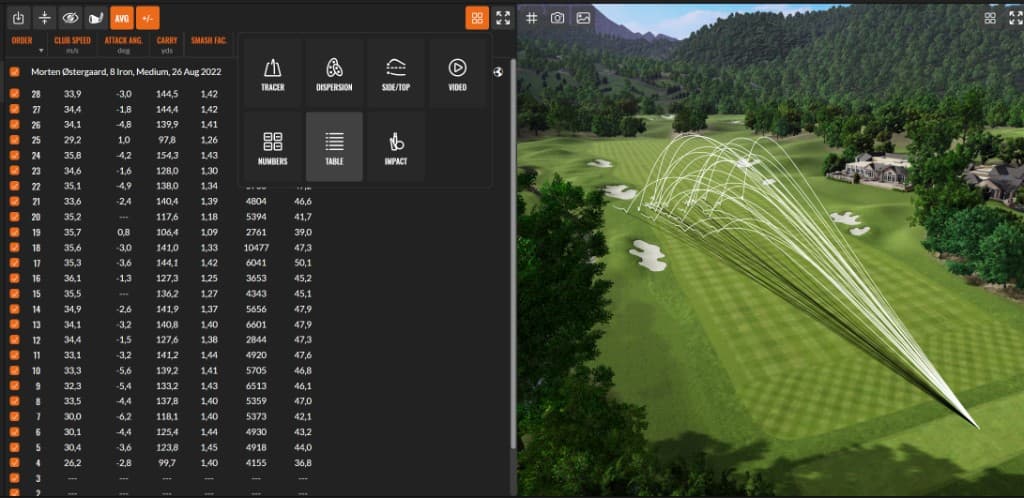
Switch to Table View
Click on the View Selector and choose Table View.
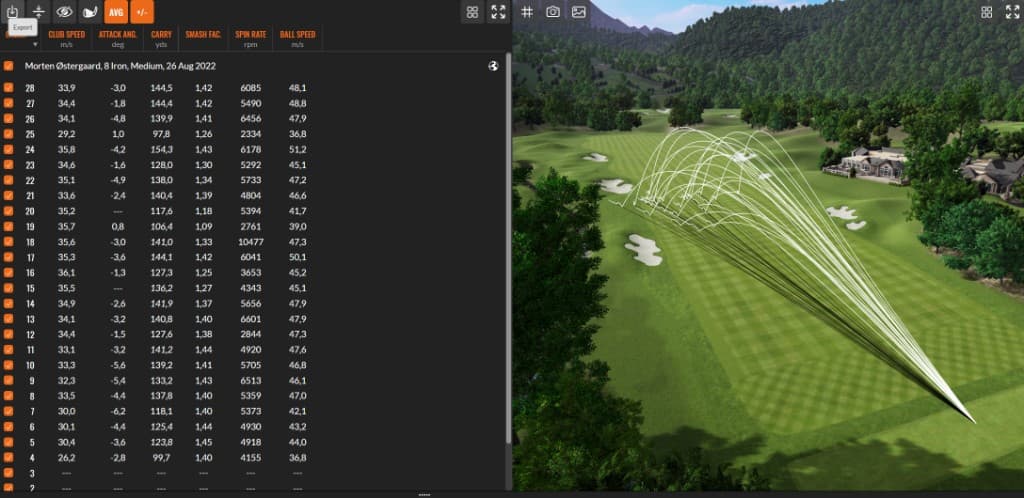
Click the Export icon
Top left of the toolbar. Opens the export menu.
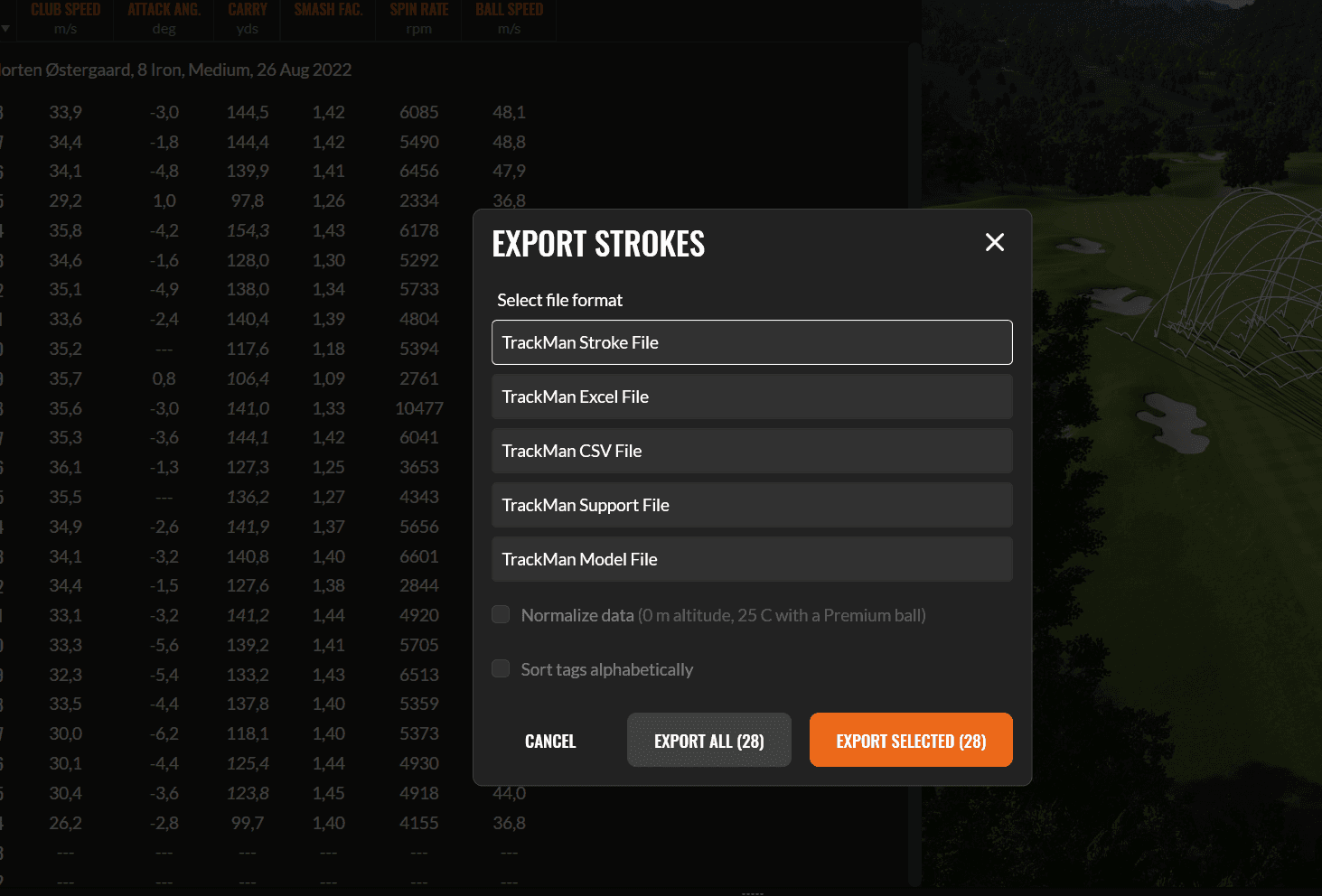
Export the data
Open File Options, choose TrackMan CSV, and hit Export.
Drag it into Dialed
Save the file, then drag it into the upload page. Every shot gets parsed automatically.
You can also export from Shot Analysis during a live session.
Free tier includes 5 sessions per month. No credit card required.
The Chrome extension is the easiest path. Install it once and every future session is one click away.
Using CSV? Name files with the date (e.g., 'TrackMan_2026-02-12.csv') so they're easy to find later.
At a facility without export access? Ask the pro or staff. They can usually do it in 30 seconds.